> ## Documentation Index
> Fetch the complete documentation index at: https://comfydeploy.mintlify.site/llms.txt
> Use this file to discover all available pages before exploring further.
# ComfyUI API
ComfyDeploy is the easiest way to deploy ComfyUI API.
You can do this by going to your deployment page while in a workflow (left hand side menu).
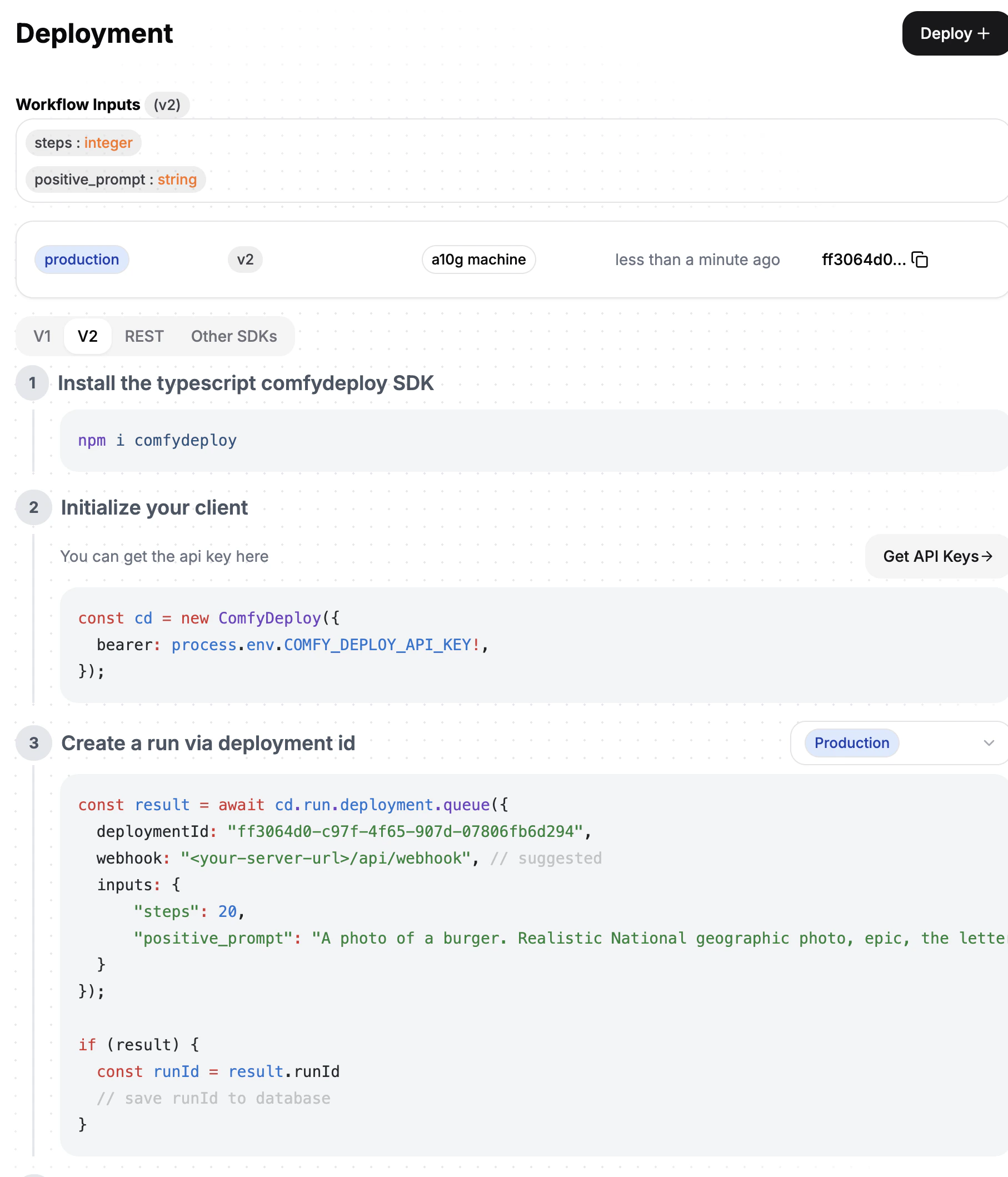 Let's go through step by step
### Workflow inputs
Workflow inputs are the inputs of your currenlty selected version.
Learn more about workflow inputs [here](/docs/v2/deployments/inputs).
### Deployments
Each workflow can have up to 2 deployments `production` and `staging`.
A deployment is a specific version of your workflow, connected to a machine. Identified by a `deployment_id`.
If you change a machine that is already deployed, the deployment will be effected.
Make sure this is what you intend.
### Calling your API
Follow the instructions in your workflows deployment page.
Let's go through step by step
### Workflow inputs
Workflow inputs are the inputs of your currenlty selected version.
Learn more about workflow inputs [here](/docs/v2/deployments/inputs).
### Deployments
Each workflow can have up to 2 deployments `production` and `staging`.
A deployment is a specific version of your workflow, connected to a machine. Identified by a `deployment_id`.
If you change a machine that is already deployed, the deployment will be effected.
Make sure this is what you intend.
### Calling your API
Follow the instructions in your workflows deployment page.