> ## Documentation Index
> Fetch the complete documentation index at: https://comfydeploy.mintlify.site/llms.txt
> Use this file to discover all available pages before exploring further.

# Introduction

> Comfy Deploy is the easiest way for teams to use ComfyUI and power apps.

<CardGroup cols={2}>
  <Card title="ComfyUI Workspace" icon="desktop" href="/v2/workspace/overview" color="#2563eb">
    Edit workflow, install custom nodes, install models, run workflows.
  </Card>

  <Card title="API Deployments" icon="code" href="/v2/deployments/create" color="#7c3aed">
    Deploy workflows as APIs, manage autoscaling, and more.
  </Card>
</CardGroup>

## Overview

We do this by letting your team share the same **custom nodes environments**, **models** and **workflows** with your teams.

<Steps>
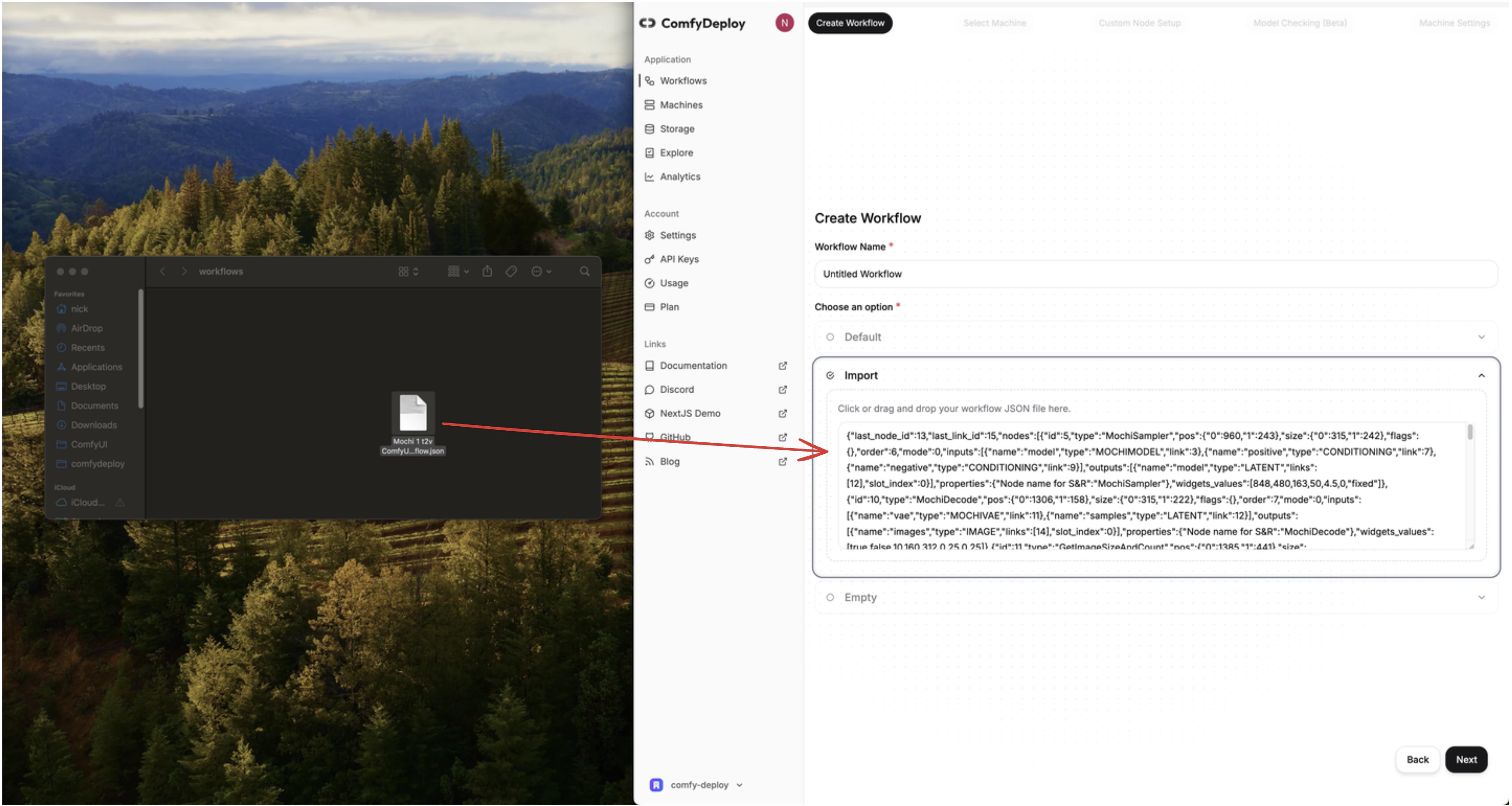
  <Step title="Import your workflow">
    Either via the dashboard (recommended) or from your local ComfyUI.
    <img src="https://mintcdn.com/comfydeploy/oRITR1vOAtih2zIb/images/workflow/import.png?fit=max&auto=format&n=oRITR1vOAtih2zIb&q=85&s=6127bc1f3ce223e39fb1da402aa694dc" alt="Import workflow" width="3386" height="1806" data-path="images/workflow/import.png" />
  </Step>

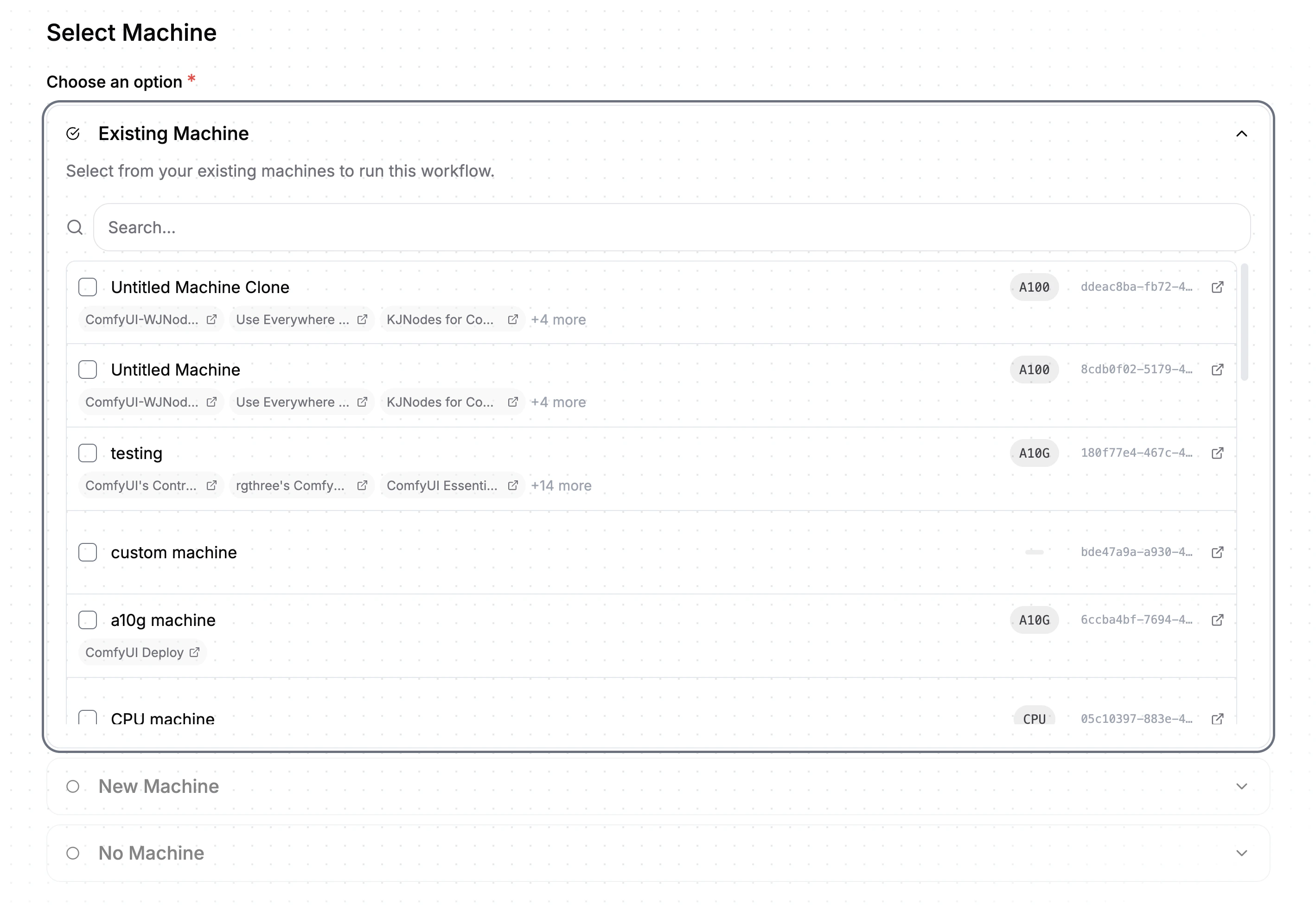
  <Step title="Build a machine">
    Define a [machine](/v2/machines/environment) configuration to run your workflows on.
    <img src="https://mintcdn.com/comfydeploy/o5fOxSEVTG8z9WUO/images/machine/machine-pick.png?fit=max&auto=format&n=o5fOxSEVTG8z9WUO&q=85&s=43447b4b3661184c1fd73421fb4ac6dc" alt="Build machine" width="2838" height="1982" data-path="images/machine/machine-pick.png" />
  </Step>

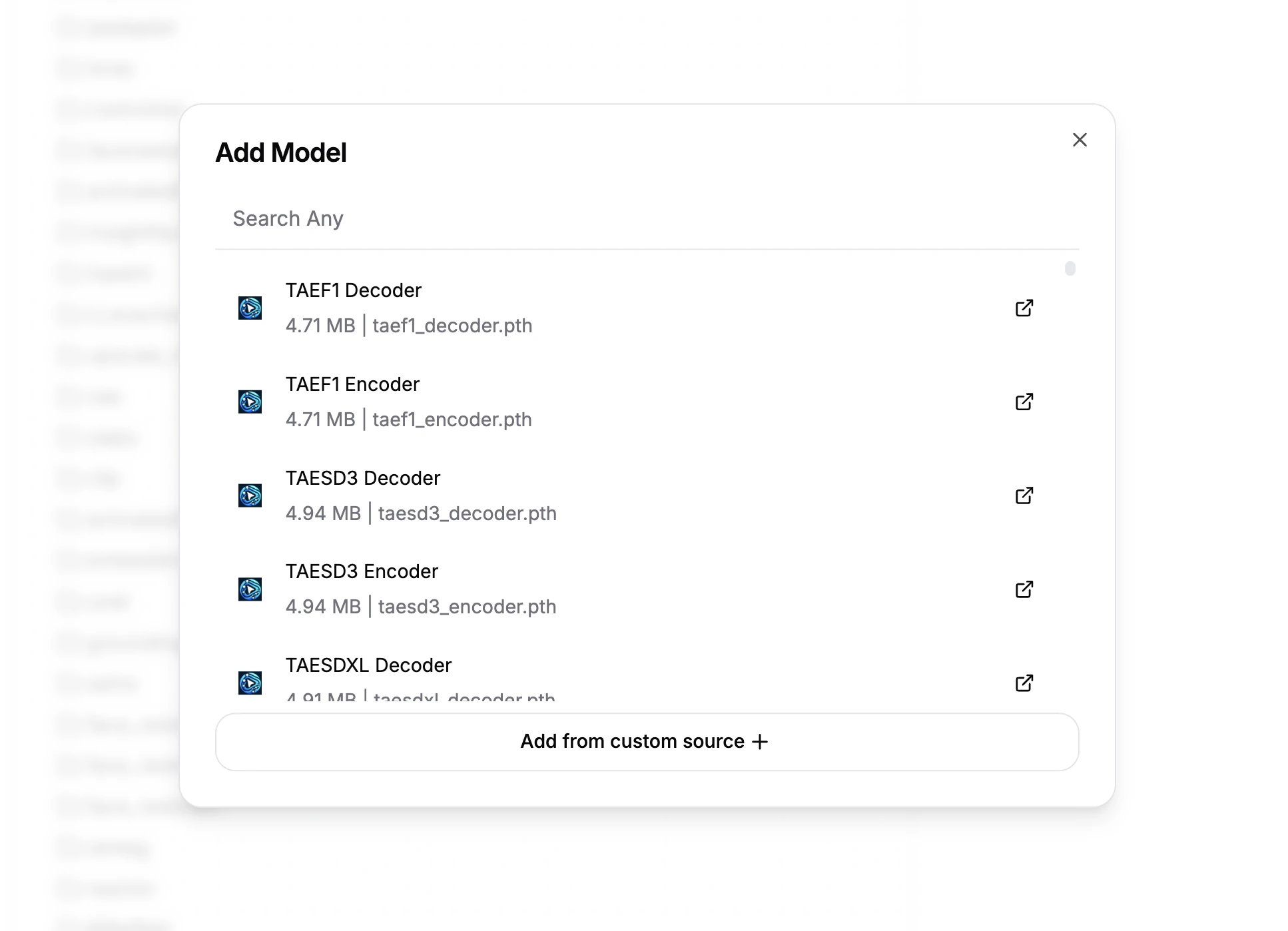
  <Step title="Download models">
    Download [models](/v2/models/download) into your private storage, to be used in your workflows and team.
    <img src="https://mintcdn.com/comfydeploy/o5fOxSEVTG8z9WUO/images/models/search.png?fit=max&auto=format&n=o5fOxSEVTG8z9WUO&q=85&s=ad7e877c197ba30c3ec5a1f9cafe0926" alt="Download models" width="1934" height="1398" data-path="images/models/search.png" />
  </Step>

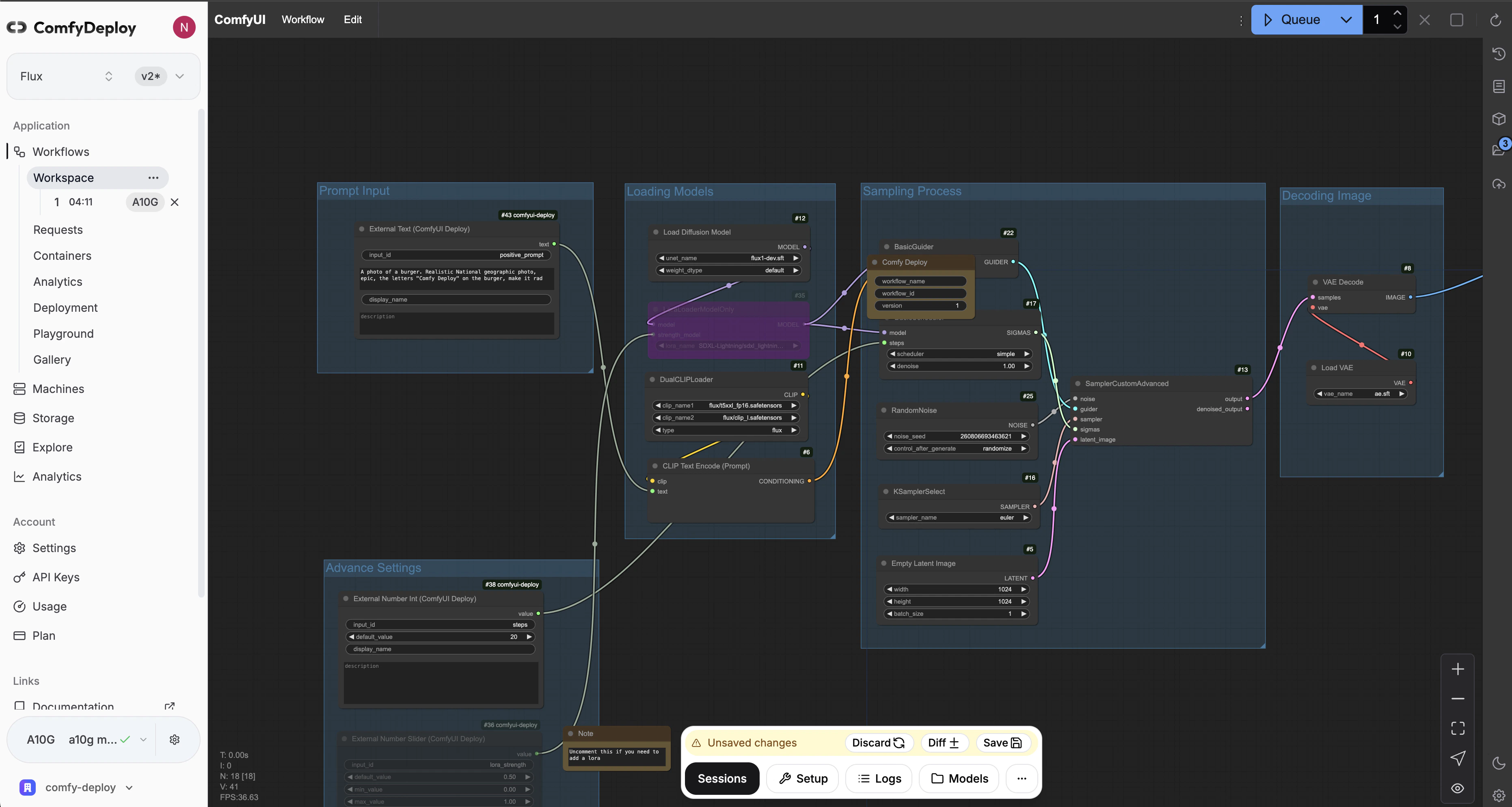
  <Step title="ComfyUI in the cloud">
    Use ComfyUI in your [workspace](/v2/workspace/overview), to modify and test your workflows on cloud GPUs.
    <img src="https://mintcdn.com/comfydeploy/oRITR1vOAtih2zIb/images/workspace/session.png?fit=max&auto=format&n=oRITR1vOAtih2zIb&q=85&s=e1faa3b22b1f78658f16eeb798938de6" alt="Workspace" width="3724" height="1988" data-path="images/workspace/session.png" />
  </Step>

  <Step title="Expose inputs">
    Expose workflow inputs with [our custom nodes](/v2/deployments/inputs), for API and playground use.

    <Frame>
      <video src="https://mintcdn.com/comfydeploy/o5fOxSEVTG8z9WUO/images/input-custom-nodes/expose-prompt.mp4?fit=max&auto=format&n=o5fOxSEVTG8z9WUO&q=85&s=037a0a999804a7c04f00f81903847e35" autoplay="" loop playsinline="" data-path="images/input-custom-nodes/expose-prompt.mp4" />
    </Frame>
  </Step>

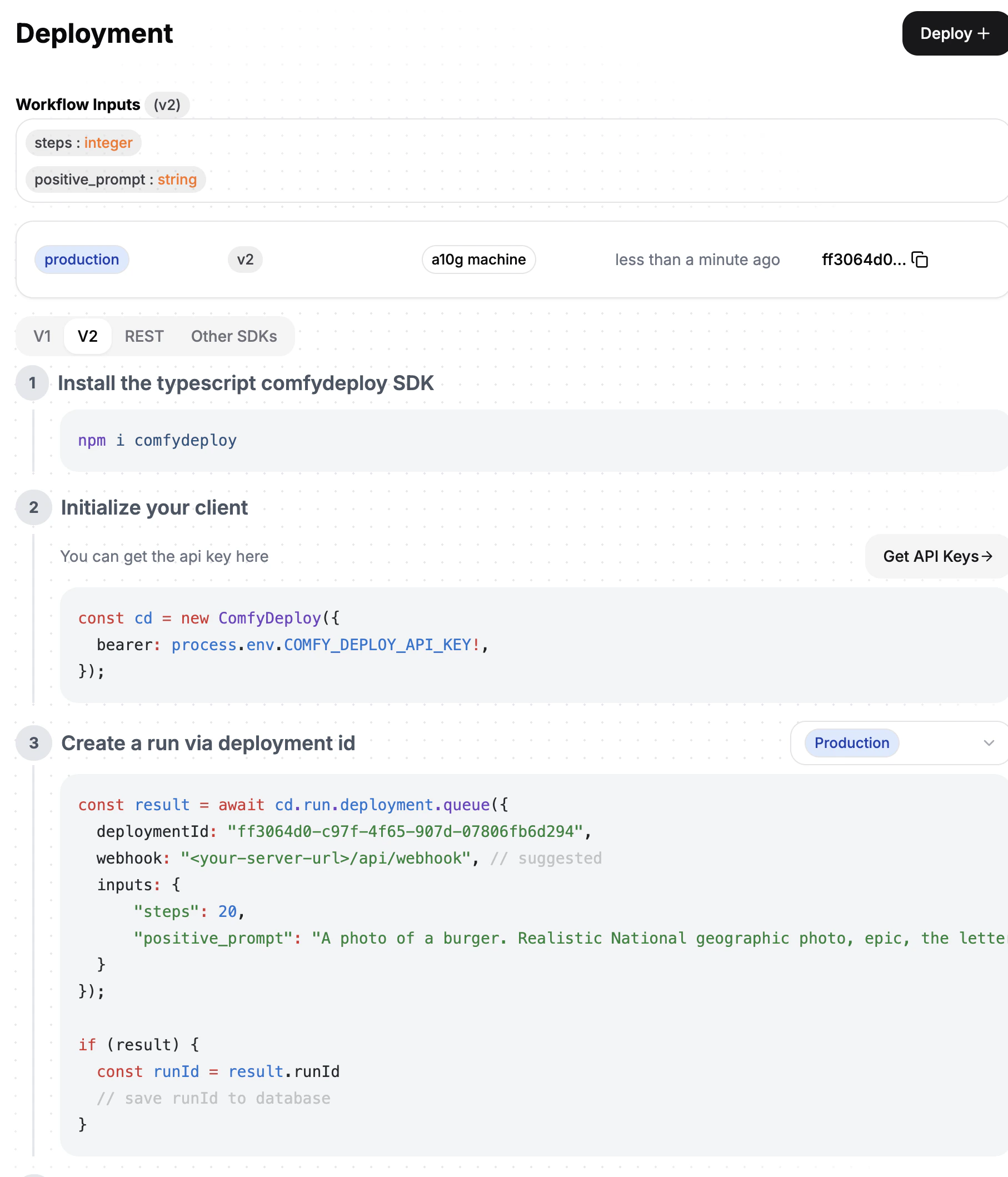
  <Step title="Deploy APIs">
    Power apps with your [API deployments](/v2/deployments/create).
    <img src="https://mintcdn.com/comfydeploy/o5fOxSEVTG8z9WUO/images/deployments/page.png?fit=max&auto=format&n=o5fOxSEVTG8z9WUO&q=85&s=9ec5998b87052e8f217a3e9d0a0ef7da" alt="API deployments" width="1814" height="2118" data-path="images/deployments/page.png" />
  </Step>

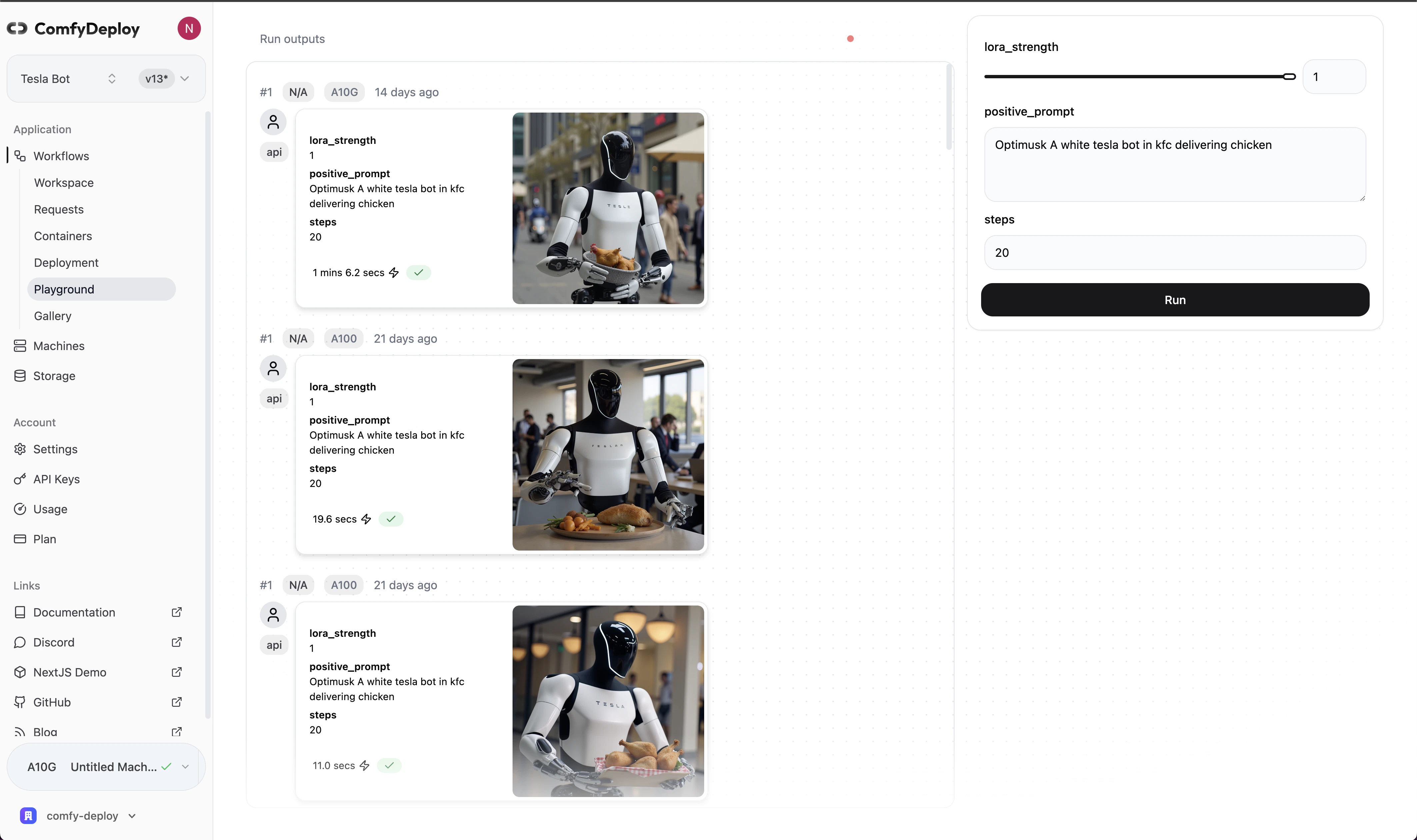
  <Step title="Share with team">
    Let your team use your workflows in [playground](/v2/team/playground) without using ComfyUI.
    <img src="https://mintcdn.com/comfydeploy/o5fOxSEVTG8z9WUO/images/playground/shot.png?fit=max&auto=format&n=o5fOxSEVTG8z9WUO&q=85&s=1e6f302362860413017679289ff49ac8" alt="Team playground" width="4252" height="2522" data-path="images/playground/shot.png" />
  </Step>
</Steps>
