> ## Documentation Index
> Fetch the complete documentation index at: https://comfydeploy.mintlify.site/llms.txt
> Use this file to discover all available pages before exploring further.
# Scaling
When your workflows are in production, how do you want your GPUs to scale? This section will help you understand how the settings you choose effect your scaling. As well as the cost and performance trade-offs.
You can change these settings underneath "Auto Scaling" while editing your machine.
## Settings
### Max Parallel GPU
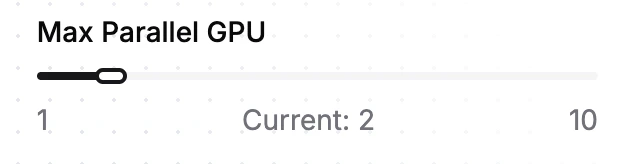 This determines how many GPUs can be spun up at the same time.
If you need more then 10 GPUs concurrently, contact us at `founders@comfydeploy.com`.
### Workflow timeout
The maximum amount of time you want a workflow to run for. If a workflow run exceeds this time, the run will be cancelled.
We can increase this to up to 24 hours, contact us at `founders@comfydeploy.com`.
### Warm time
After your workflow has finished running on a GPU, you have the option to keep it warm for a certain amount of time, to reduce cold starts for your next request.
Warm time is still charged, this is a trade-off between cost and performance.
### Keep warm
For the highest performance workloads. You can keep your GPUs warm to reduce cold starts to zero.
## Example situations
This are some examples to show what happens with different request patterns with the same settings.
In this example
* `max parallel gpu` set to 2
* `warm time` set to 1 minute
* `always warm GPUs` set to 0
### Example 1: Basic
We have only 1 request.
1. `r1` comes in, a GPU spins up.
2. `r1` finishes.
3. The GPU is kept warm for 1 minute before spinning down.
This determines how many GPUs can be spun up at the same time.
If you need more then 10 GPUs concurrently, contact us at `founders@comfydeploy.com`.
### Workflow timeout
The maximum amount of time you want a workflow to run for. If a workflow run exceeds this time, the run will be cancelled.
We can increase this to up to 24 hours, contact us at `founders@comfydeploy.com`.
### Warm time
After your workflow has finished running on a GPU, you have the option to keep it warm for a certain amount of time, to reduce cold starts for your next request.
Warm time is still charged, this is a trade-off between cost and performance.
### Keep warm
For the highest performance workloads. You can keep your GPUs warm to reduce cold starts to zero.
## Example situations
This are some examples to show what happens with different request patterns with the same settings.
In this example
* `max parallel gpu` set to 2
* `warm time` set to 1 minute
* `always warm GPUs` set to 0
### Example 1: Basic
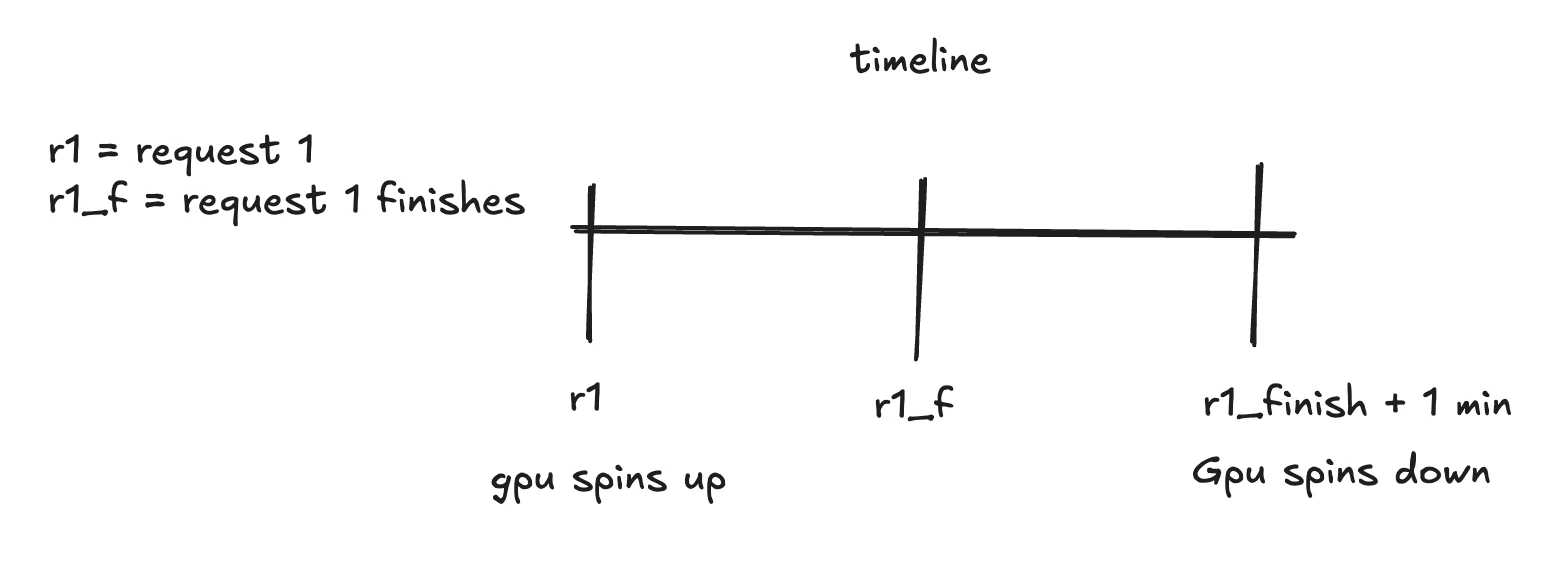
We have only 1 request.
1. `r1` comes in, a GPU spins up.
2. `r1` finishes.
3. The GPU is kept warm for 1 minute before spinning down.
 ### Example 2: Taking advantage of warm GPUs
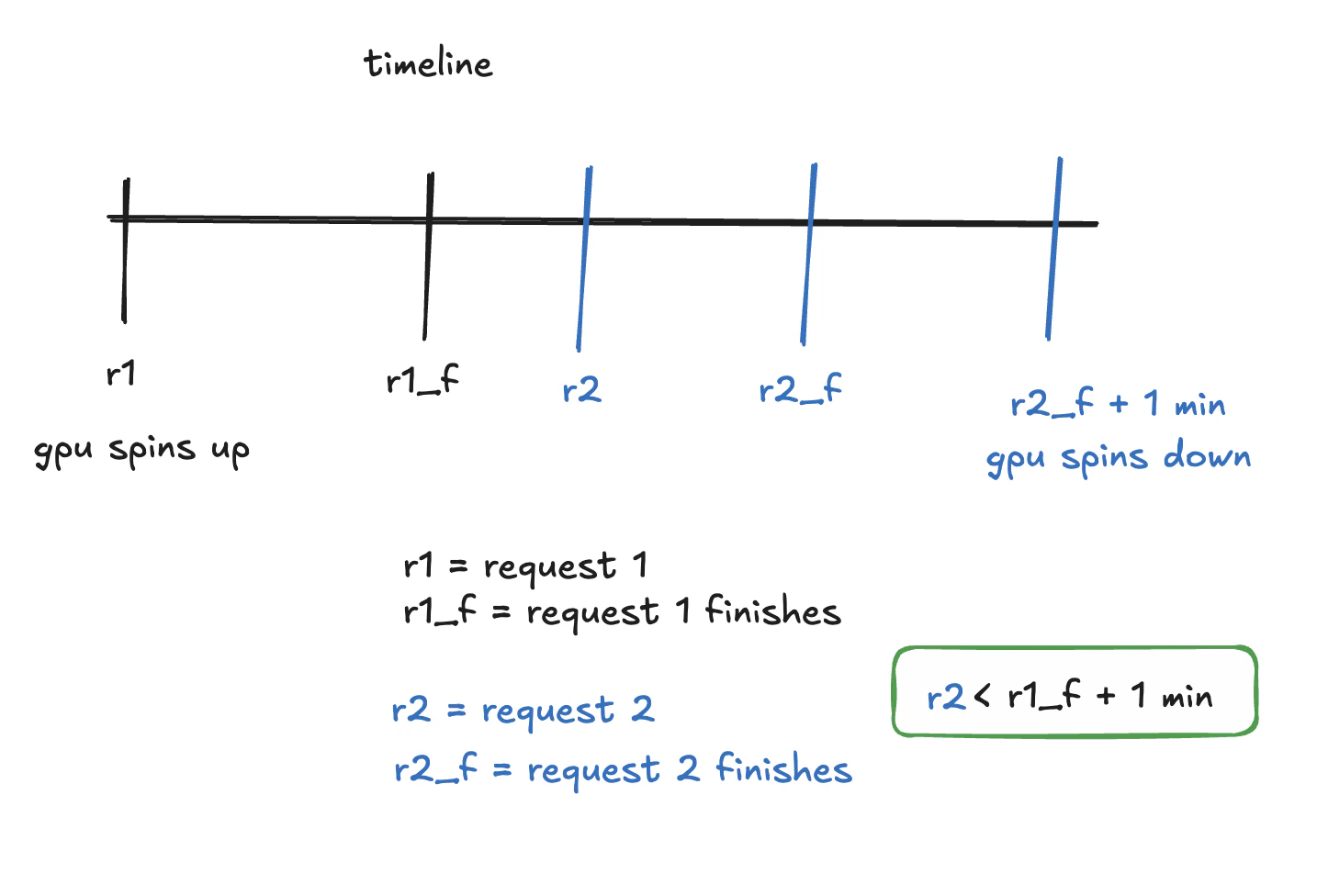
This time we have 2 requests, where the 2nd request uses a warm GPU.
1. `r1` comes in, a GPU spins up.
2. `r1` finishes.
3. `r2` is before `r1_f + warm time`, so we reuse the same GPU
4. `r2` is faster than `r1` because the GPU was warm.
5. The GPU is kept warm for 1 minute before spinning down.
### Example 2: Taking advantage of warm GPUs
This time we have 2 requests, where the 2nd request uses a warm GPU.
1. `r1` comes in, a GPU spins up.
2. `r1` finishes.
3. `r2` is before `r1_f + warm time`, so we reuse the same GPU
4. `r2` is faster than `r1` because the GPU was warm.
5. The GPU is kept warm for 1 minute before spinning down.
 ### Example 3: Scaling up and hitting max GPUs
We have 2 requests, and we'll spin up 2 GPUs.
1. `r1` comes in, a GPU spins up.
2. `r2` comes in before `r1` finishes, a new GPU spins up.
3. `r1` finishes.
4. `r1` GPU spins down after staying warm for 1 min.
5. `r2` finishes
6. `r2` GPU spins down after staying warm for 1 min.
### Example 3: Scaling up and hitting max GPUs
We have 2 requests, and we'll spin up 2 GPUs.
1. `r1` comes in, a GPU spins up.
2. `r2` comes in before `r1` finishes, a new GPU spins up.
3. `r1` finishes.
4. `r1` GPU spins down after staying warm for 1 min.
5. `r2` finishes
6. `r2` GPU spins down after staying warm for 1 min.
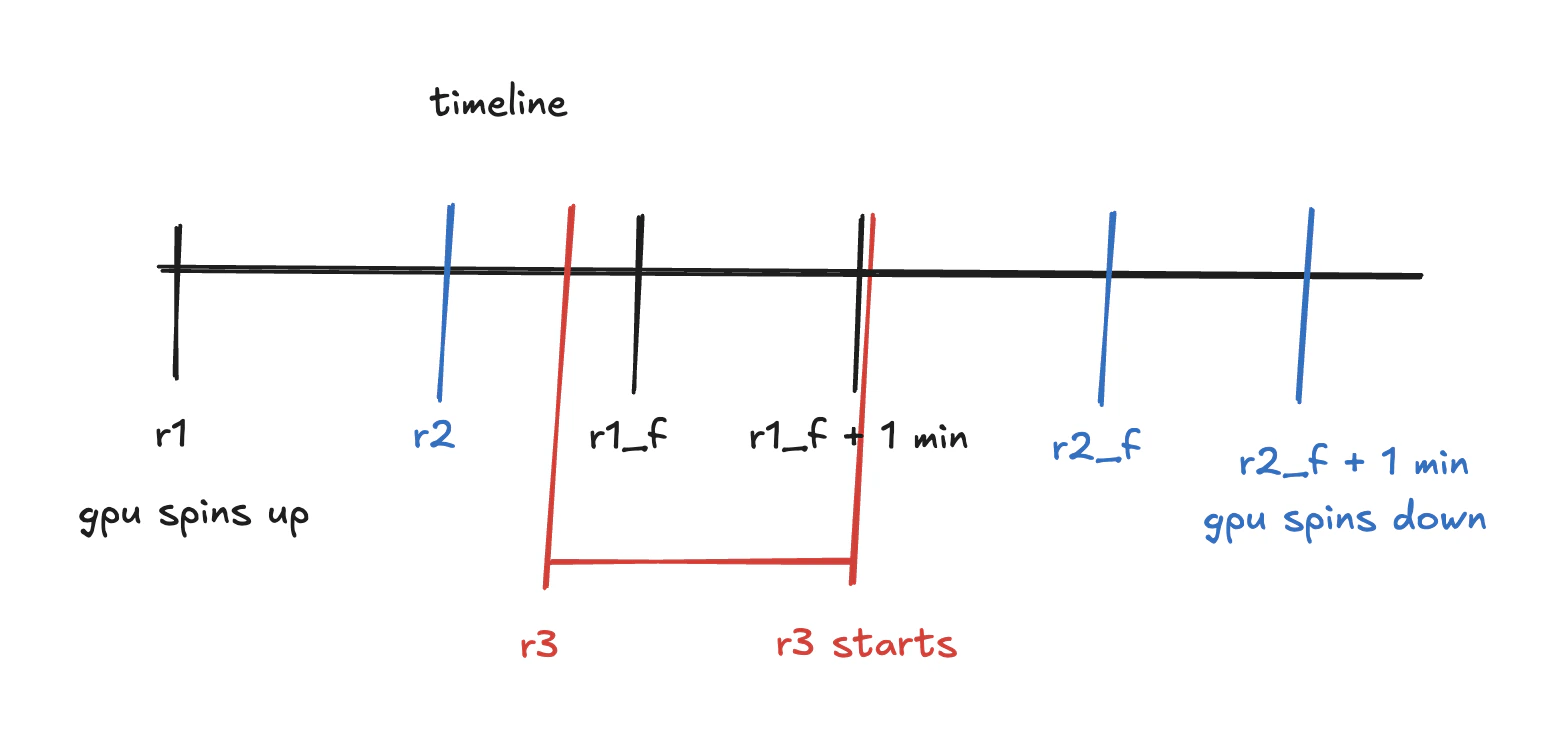
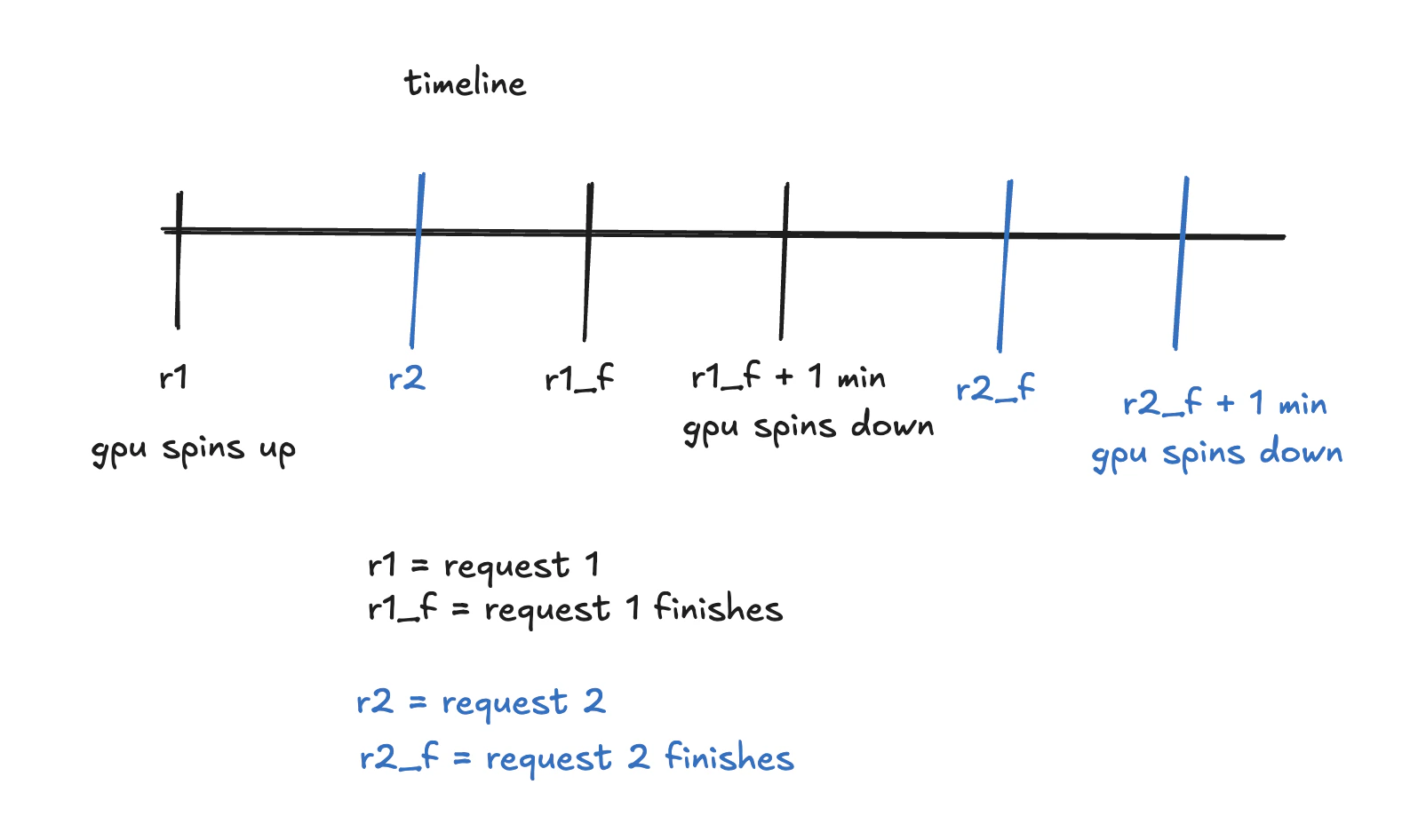 If we had a 3rd request `r3` while our 2 requests were running (between `r2` and `r1_f`).
The third request would have to wait for one of the GPUs to finish before it can start as we've hit our max GPU limit.
`r3 starts`.
If we had a 3rd request `r3` while our 2 requests were running (between `r2` and `r1_f`).
The third request would have to wait for one of the GPUs to finish before it can start as we've hit our max GPU limit.
`r3 starts`.