> ## Documentation Index
> Fetch the complete documentation index at: https://comfydeploy.mintlify.site/llms.txt
> Use this file to discover all available pages before exploring further.
# Download
Comfy Deploy gives you your own private volume that holds your models. It gets connected to `comfyui/models` so you can populate your own models directories with the models you want from anywhere.
You can start downloading models in your [models page](https://app.comfydeploy.com/models).
# Downloading models
We will need 3 things to download a model:
1. Model to download (link or upload)
2. Filename
3. Model folder to download to
## Huggingface repo
If you want to download a repo from huggingface go to the repo page and get the repo identifier e.g. `linoyts/yarn_flux_700_stable_flow_vital_4`
You can set your Huggingface token in the [settings page](https://app.comfydeploy.com/settings) to download models with permissions.
## Civitai
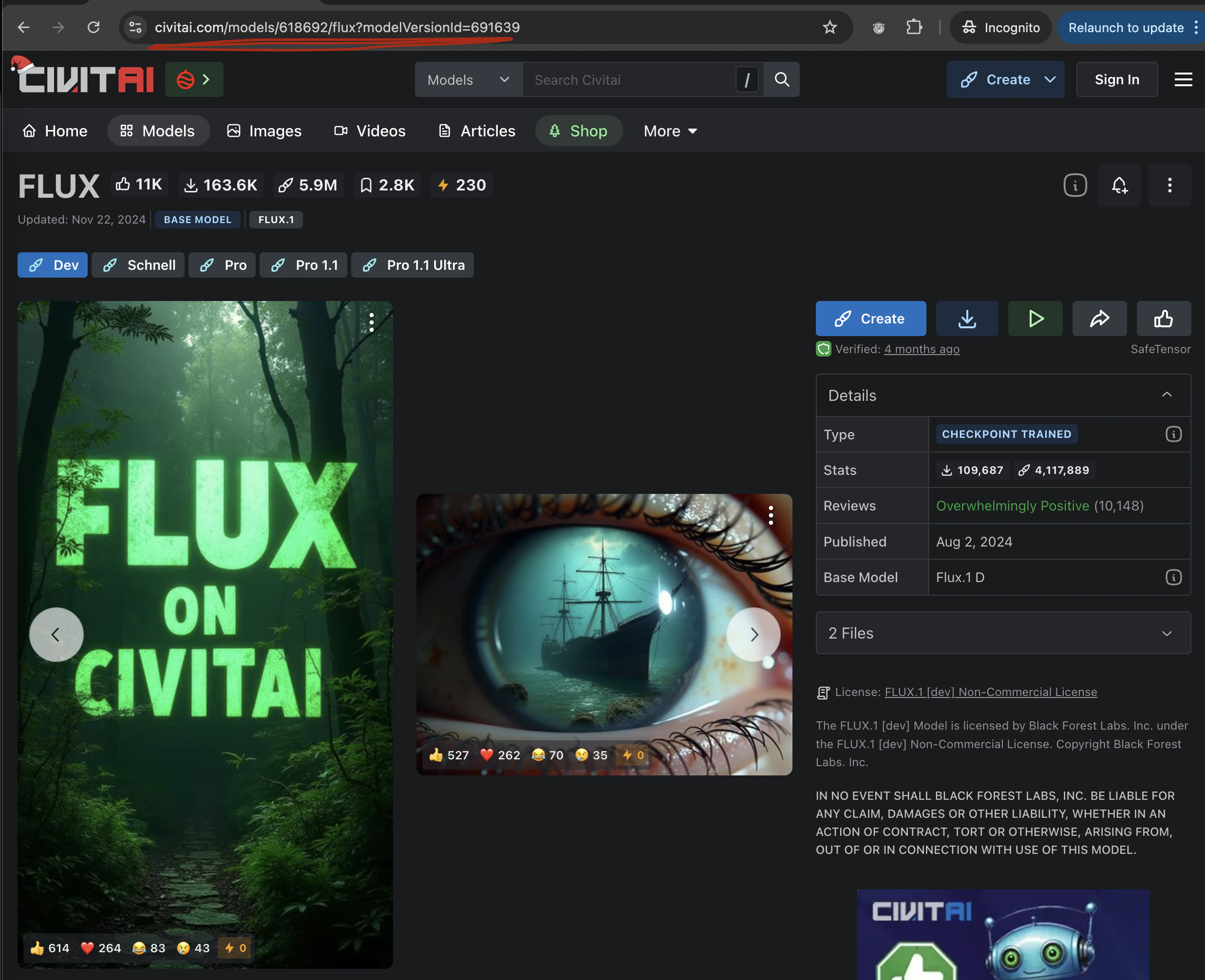
You can download models from [Civitai](https://civitai.com/) to Comfy Deploy by using the [model page link](https://civitai.com/models/618692/flux?modelVersionId=691639).
 ## Link
We can also take any link someone can download from!
A good way to tell if the link is correct, is to go to the link in your browser.
If it starts a download of the file it should be good!
### HF Link
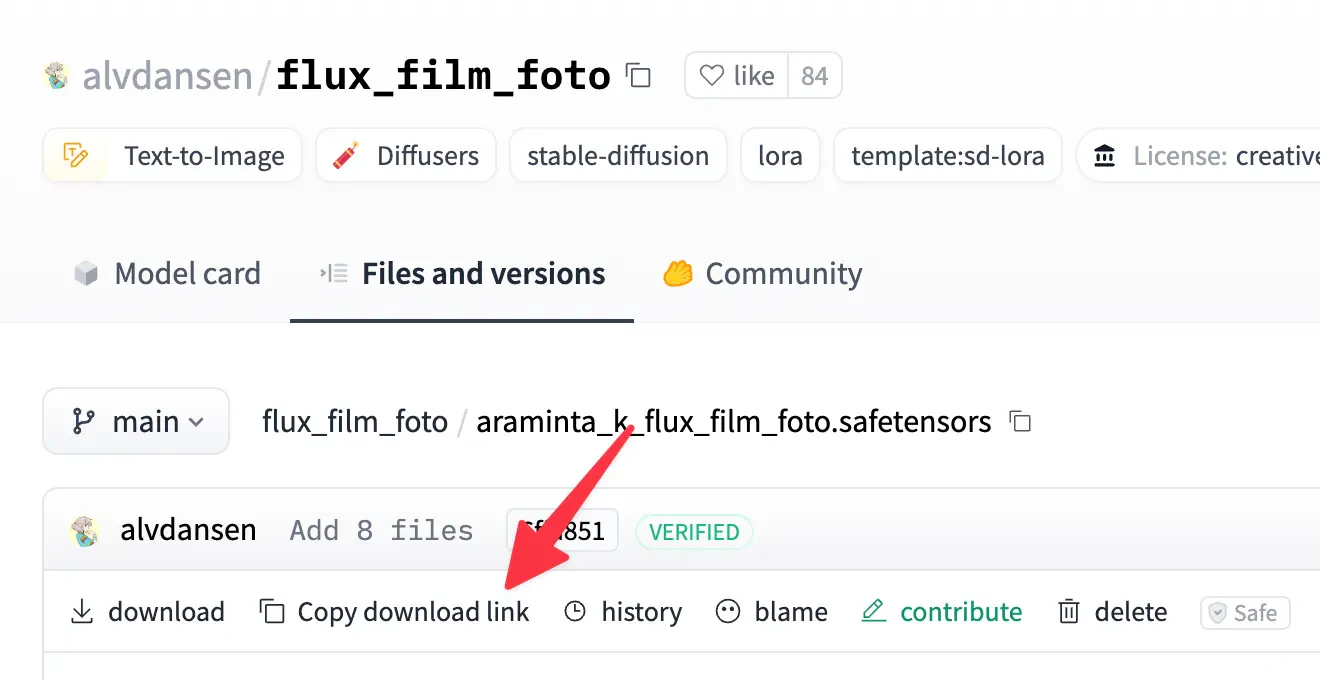
if you want to download a file from huggingface, you can go to the specific file page.
For example, this [flux lora](https://huggingface.co/alvdansen/flux_film_foto/blob/main/araminta_k_flux_film_foto.safetensors) copying the download link.
## Link
We can also take any link someone can download from!
A good way to tell if the link is correct, is to go to the link in your browser.
If it starts a download of the file it should be good!
### HF Link
if you want to download a file from huggingface, you can go to the specific file page.
For example, this [flux lora](https://huggingface.co/alvdansen/flux_film_foto/blob/main/araminta_k_flux_film_foto.safetensors) copying the download link.
 You can set your Huggingface token in the [settings page](https://app.comfydeploy.com/settings) to download gated models.
## Upload
You can upload models locally to your Comfy Deploy volume.
Depending on your internet connection, this can be much slower than downloading from a link.
You can set your Huggingface token in the [settings page](https://app.comfydeploy.com/settings) to download gated models.
## Upload
You can upload models locally to your Comfy Deploy volume.
Depending on your internet connection, this can be much slower than downloading from a link.